Work 01 from KindKeeping
Continuity
A free, private record of your life: what you know, what you decided and what you wanted.
It keeps your affairs understandable if you forget things, fall ill or need trusted people to step in. You run it on your own server, so KindKeeping never holds your data.
- Price
- Free
- Where your data lives
- On your own server
- Uses AI
- No
- Current version
- 0.1.1
What it does
Available nowEverything in this section works in Continuity today.
Records
Write down what you know, what you’ve decided and what you want, in one place.
Search
Find what you need by typing a word or two, without remembering where you put it.
History
See how a record has changed over time, and what it said before.
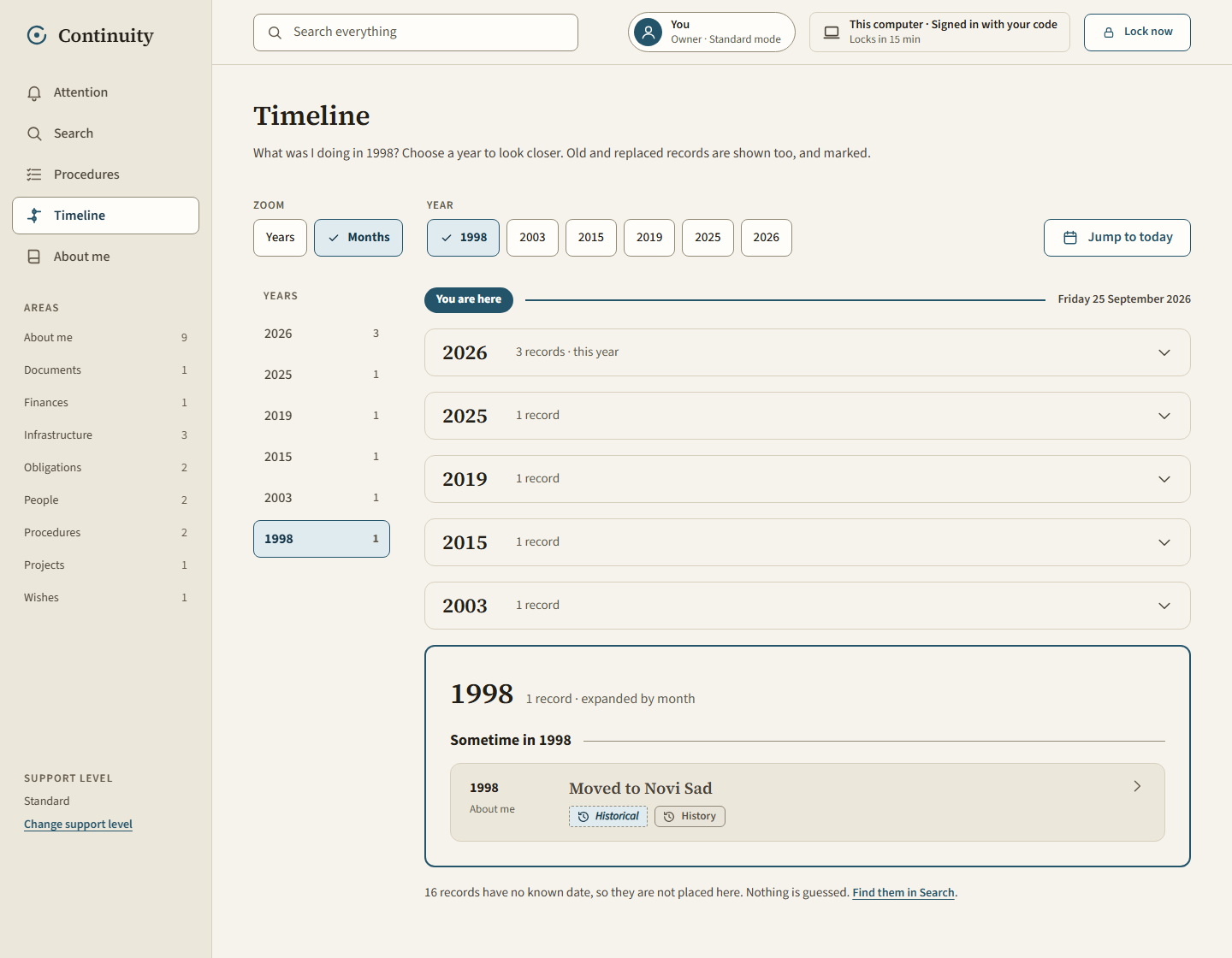
Timeline
View the events and decisions of a life in the order they happened.
Procedures
Write step-by-step instructions for things that need doing, so they can be followed later.
Simpler modes
Show less on screen for people who need less complexity, at any point.
Planned
Not yet availableThese are being worked on. They are not in Continuity yet, and there is no release date.
Check-ins
Gentle prompts to keep your records up to date.
Access for trusted people
A way for people you choose to see what they need, when they need it.
Handover views
Clear summaries for someone taking over your affairs.
How it keeps your data private
Your record is personal. Continuity is built so it stays that way.
It runs on your own server
You download Continuity and run it yourself. KindKeeping never holds, sees or stores your data.
It is encrypted with established tools
Your data is encrypted using established, open-source encryption tools rather than anything home-made: gocryptfs for the working copy, restic for backups and age for long-term archives.
It can be read without the app
If Continuity ever stops working, your data can still be recovered and read without it. The recovery guide gives every step by hand.
It doesn’t use AI
Nothing you write is sent to, read by or processed with AI.
Who it’s for
- People who want to plan ahead, so the important things are written down while they can.
- People living with illness or memory loss, who want a steady place to keep what matters.
- People who may one day need family, friends or carers to step in for them.
Worth knowing
Right now, setting up Continuity means running your own Linux server. If that isn’t something you do, someone you trust may be able to set it up for you.
Download Continuity
Free to download and use. You’ll need a Linux server that you control, and some comfort with the command line, or someone who can help.
- Version
- 0.1.1
- Released
- 1 November 2026
- Licence
- GNU AGPL 3.0 or later
- Runs on
- Your own Linux server
Technical details
For the person setting up the server.
System requirements
- A 64-bit x86 (amd64) Linux server with systemd, FUSE and fusermount3.
- Docker or Podman, for the search index.
- JDK 25 and Node 20.19 or newer. The download is source code, so you build it.
- nginx and a TLS certificate, if you reach it over the internet.
No list of tested distributions has been published. The recovery steps use Ubuntu as their example.
Installation
Build and run the app, then follow the first setup guide. Allow about half a day. The systemd unit and nginx configuration are in the download’s deploy folder.
Verify the download
Run this in the folder holding the file. It should print “OK”.
echo "cfbacd920fcd91d57671bf9d3cb0ba6939c5c4636aff8d7258f6b45c5e318d81 continuity-0.1.1.tar.gz" | sha256sum -c -This catches a damaged download. The checksum comes from this site and the file is not signed, so it can’t prove the site itself wasn’t tampered with.
Source code
The download is the complete source code, from commit 94fc0e9.